 mail-block
Variable-data PDF imposition
One artwork.
A thousand copies.
Every one different.
mail-block merges a spreadsheet into a PDF template and lays as many copies as will fit onto a printing sheet — with bleed, crop marks and barcodes, ready for the press.
Free and open source, MIT licensed. No account, no telemetry, nothing phones home.
Watch it work
Ten certificates, one 60 × 19 in sheet
Under three minutes, start to finish: a certificate template, a spreadsheet of ten characters, a picture and a QR code that change with every record, imposed ten-up and exported.
How it works
A template, a spreadsheet, a sheet size
Three things in, one print-ready PDF out. Nothing else to learn.
Load your artwork
Any PDF. The copy size comes from its trim box, so a file prepared for print is measured the way the printer measured it.
Place blocks, merge data
Drag a rectangle and type {{Name}} where the data goes. Click a
column to insert it. The canvas shows the real record, in the real font.
Fit the sheet, export
Set the sheet, margins and gap; mail-block works out what fits and shows you the imposition before you commit a single sheet of paper.
The imposition
See the sheet before you print it
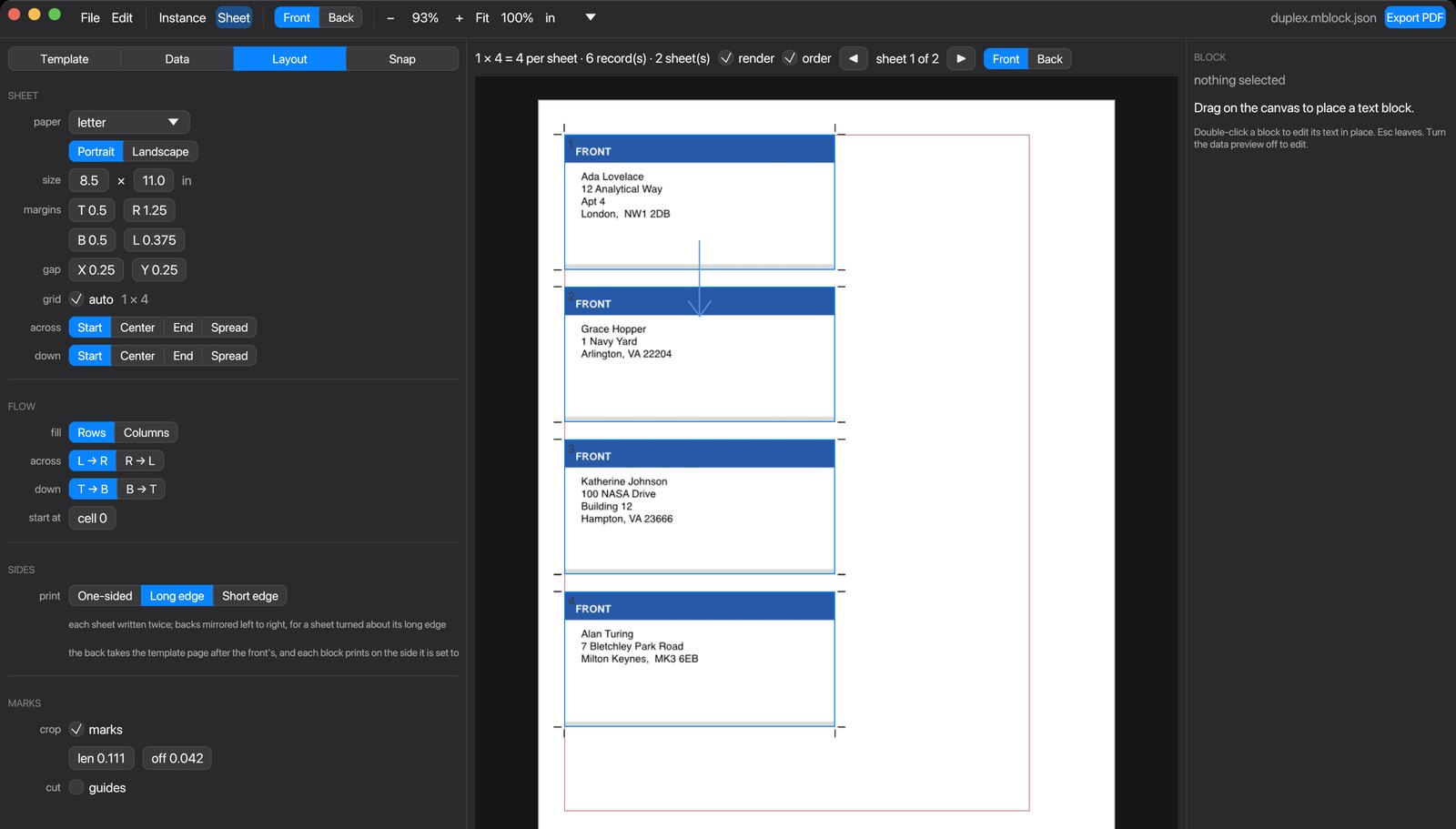
The sheet view renders the job through the actual PDF writer, so what you are looking at is the output — not an approximation of it. Cell outlines, fill order and the flow arrow sit over the top.
Fit as many as the sheet allows, or pin the grid yourself. Align the block of instances to the start, the centre, the end, or spread the leftover space between them. Fill along rows or down columns, in any direction, starting at any cell — for label stock that has already been part used.
Barcodes
QR and barcodes, from the same data
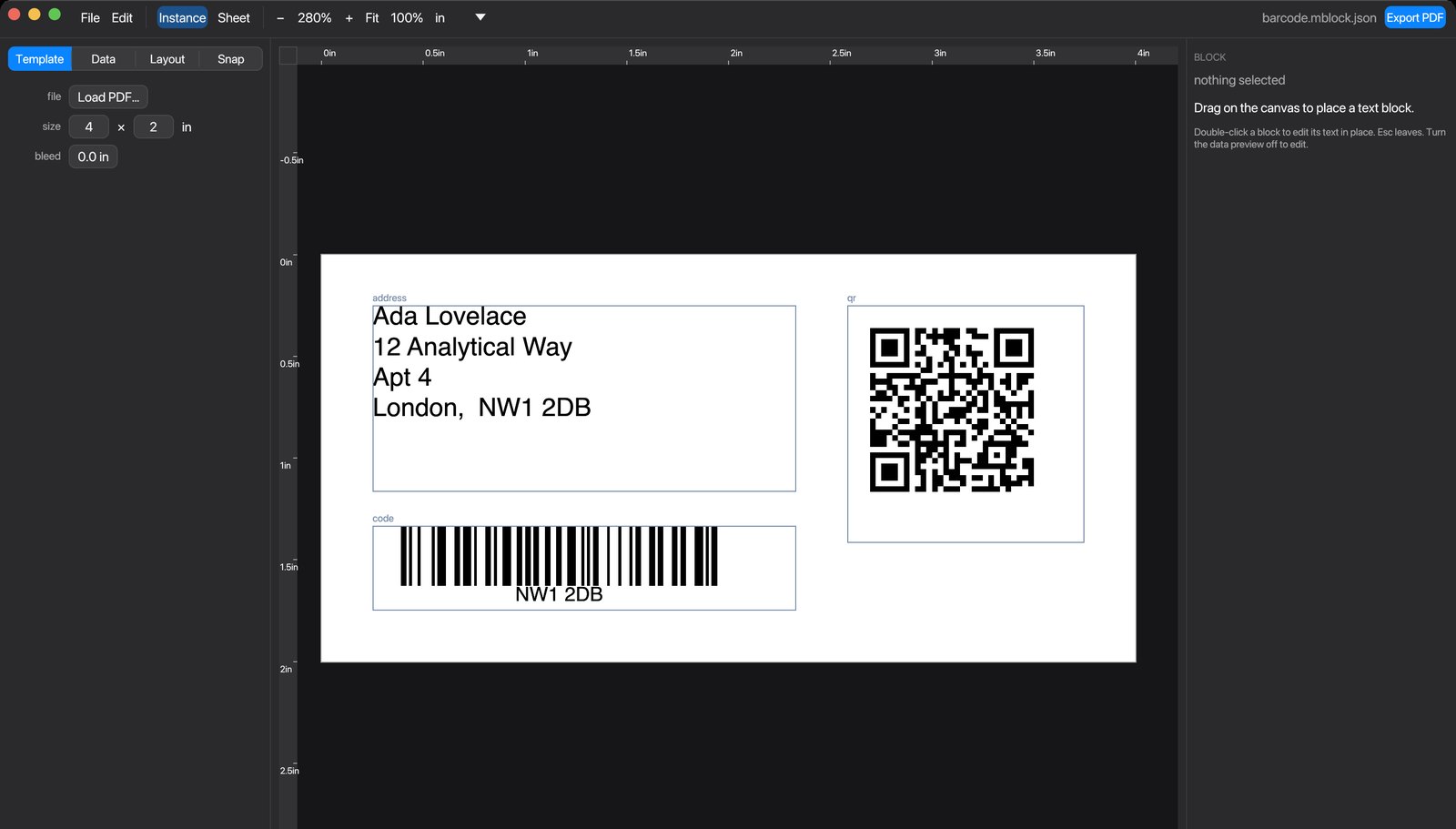
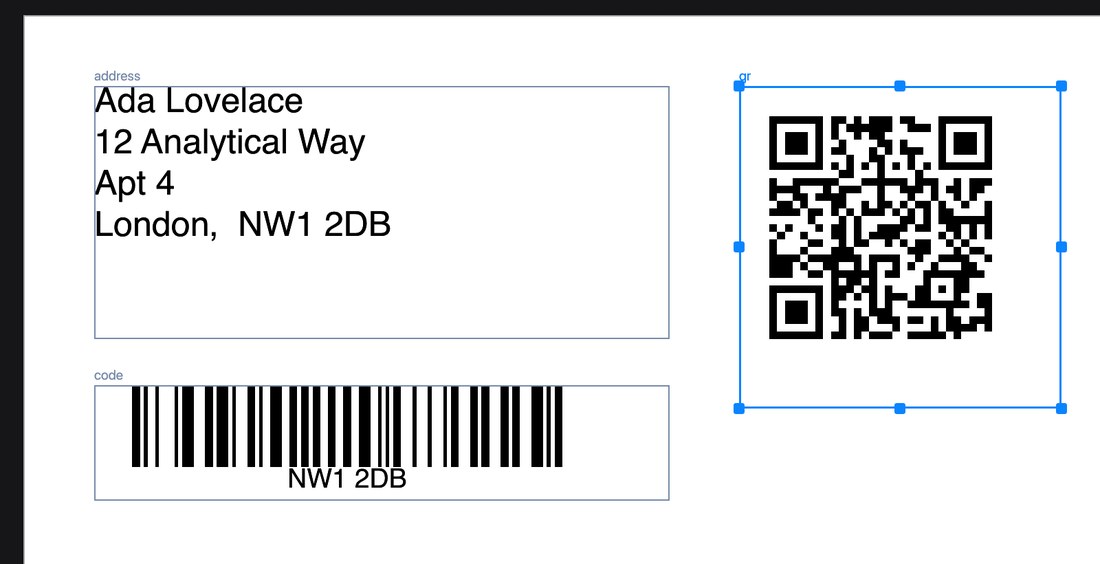
Tick barcode on a block and its text becomes the payload —
placeholders and all, so example.com/track/{{Id}} is a different
symbol on every copy.
QR, Code 128, Code 39, EAN-13 and EAN-8, drawn as vector fills. The quiet zone is part of the symbol because scanners need it; modules land on whole points so bar edges stay crisp; nothing is stretched. A payload the symbology will not take stops the export and names the record, rather than printing something that does not scan.
Finishing
Bleed and marks that a finisher can work with
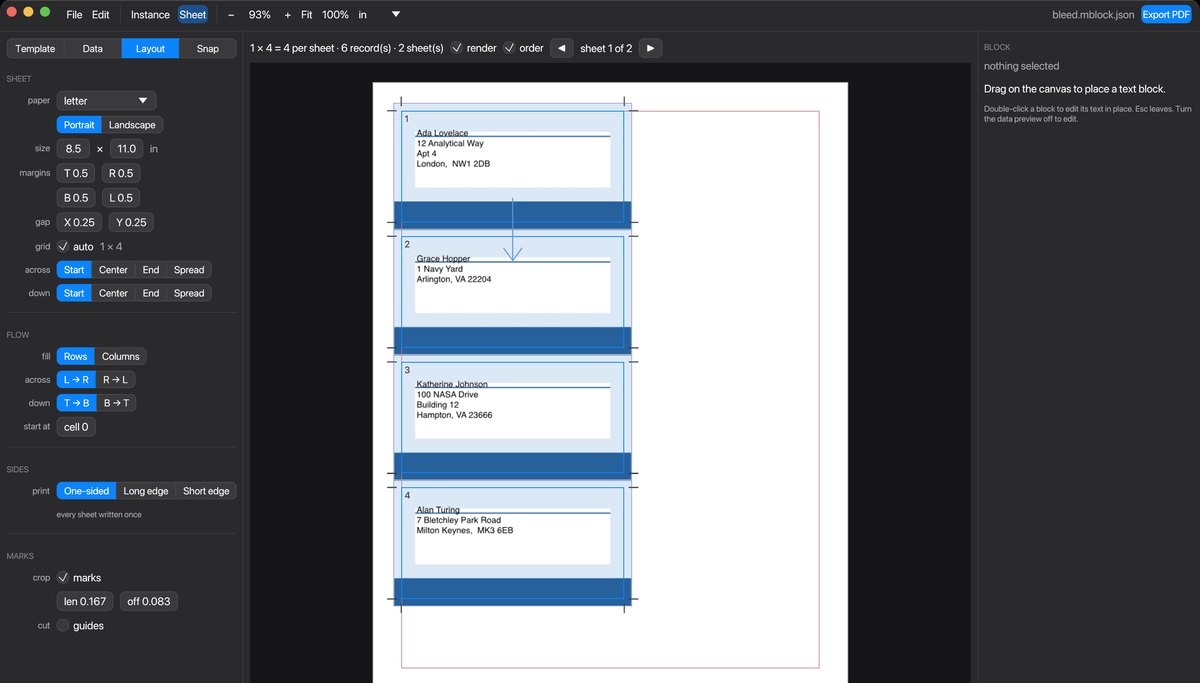
Bleed reaches outside the trim into the gutter, where neighbouring bleeds overlap — which is exactly what lets one cut serve both. Adding it never re-lays the sheet.
Crop marks are drawn at every cell of the grid, including the empty ones on a part-filled last sheet: the knife does not know the records ran out. Shared gutters are left unmarked, since that cut is already called out at the edge of the sheet on the same line.
Two-sided work
Fronts and backs that line up
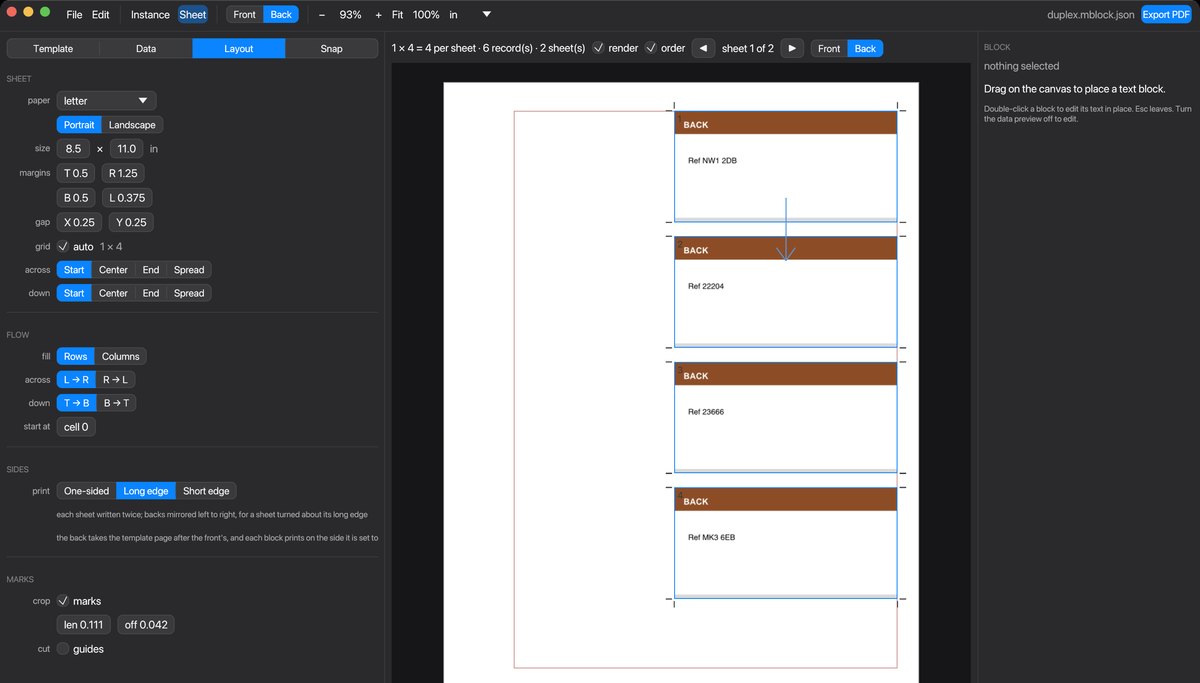
Turn duplex on and every sheet is written twice. The backs are mirrored about the edge the sheet is turned on — long edge or short — so each cell lands behind its own front. Get that backwards and the run is waste, which is why it is a setting and not a guess.
Each block declares which side it prints on. The back's artwork is the next page of the template, and the sheet view previews whichever pass you are working on.
Features
Everything a variable-data job needs
Real typography
Real font metrics and kerning from the embedded face, UAX #14 line breaking, and shrink-to-fit for the one address in five hundred that is too long.
Styling inside a block
Bold, italic, underline, another font, size or colour — part of a line at a time, and it survives being merged with the data.
Versions
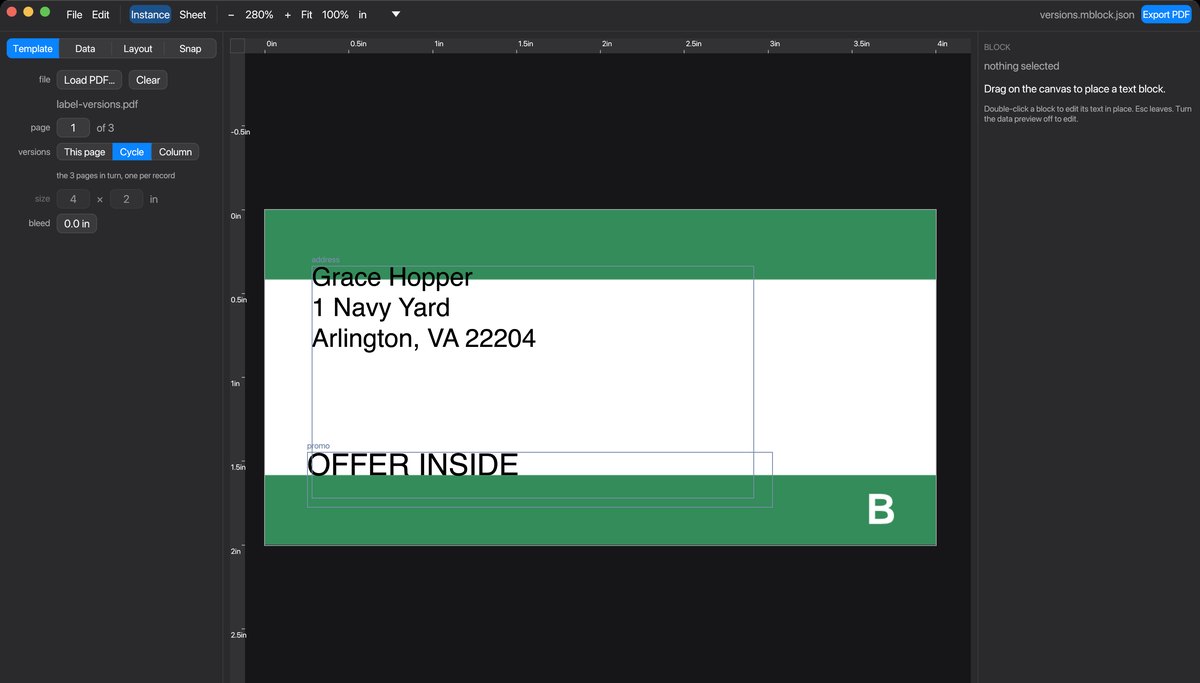
A multi-page template is a set of versions. Cycle them, or let a column in the data choose. Blocks can belong to one version.
Small output
The artwork is embedded once and referenced by every copy, and fonts are subsetted to the glyphs actually used. A thousand labels is not a thousand copies of the artwork.
Searchable text
Type is embedded as Type0 with a /ToUnicode map, so the output can
be searched and copied — not outlines.
Nothing silent
Text that had to shrink, a placeholder with no column, a barcode that will not encode: named with the record, before you export.
Command line too
Everything the app does, mail-block does from a script — with
--strict and a JSON report for the jobs that run every week.
Reproducible
Deterministic mode drops the timestamp, so the same job twice gives you byte-identical files. Proofs can be diffed against reprints.
Yours
MIT licensed, written in Rust, no runtime to install, no network access, and projects saved as readable JSON you can keep in version control.
Download
Version 0.1
Free, open source, and the same build on both platforms.
Windows
mail-block-0.1.0-windows-x64.zipSHA-256 1db3fbda633b8de8f6deedd1d369ffb014c359245169e79b317b1090c7b0783e
Or build it yourself: cargo build --release. Requires a graphics driver
with OpenGL. Both packages include the manual and a folder of worked examples.
Free, and staying that way
No licence to buy, no account, no upsell. If mail-block saves you an afternoon of pasting addresses into a page layout, you are welcome to put something in the hat — it pays for the time that goes into the next version.
Documentation
A manual that says what it does
Thirteen pages: what the words mean, a job from loading a template to exporting the sheet, then a chapter on each part of the app — with a table of every message the app can show you and what to do about it.
Specifications
The details
| Input | PDF template (any page of a multi-page file), CSV data — encoding detected, or set explicitly |
|---|---|
| Output | PDF 1.7, one artwork embedded and referenced per copy, subsetted Type0 fonts with /ToUnicode |
| Sheets | A5–A3, Letter, Legal, Tabloid, SRA3, or any size you type; margins, gap, alignment and fill order all yours |
| Barcodes | QR (L/M/Q/H), Code 128, Code 39, EAN-13, EAN-8 — vector, with quiet zones |
| Finishing | Bleed, crop marks, cut guides, two-sided imposition with long- or short-edge flip |
| Platforms | macOS 12+ (Apple silicon), Windows 10+ (64-bit), Linux from source |
| Licence | MIT |